Manage iTunes ID
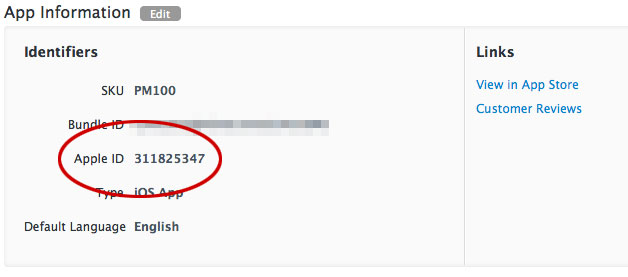
Some Airship features depend on your app’s Apple ID, which is used as the iTunes App Store Identifier.
To add Your iTunes ID to your project:
- Next to your project name, select the dropdown menu (), then Settings.
- Under App settings, select iTunes ID.
- Enter your ID and click Save.
After editing or deleting the ID, select Save.
A quick way to find the Apple ID is to copy the numbers at the end of the
app’s App Store URL. If the URL is https://apps.apple.com/app/id1195168544,
the Apple ID is 1195168544.
Another way is to locate your app in iTunes Connect and copy the Apple ID.