SMS/MMS/RCS
SMS, MMS, and RCS messages reach customers directly on their phones, even without an app, for immediate engagement and time-sensitive communications.
About SMS
You send SMS messages to an MSISDN (phone number) over the SMMP protocol to devices that have opted in for a specific Sender IDAn originating phone number or string identifier used to indicate who an SMS message comes from. Members of your audience subscribe (opt in) to each sender ID they want to receive messages from.. SMS messages help you reach a wide audience quickly, without an app or development work.
SMS messages are text-based. MMS (multi-media messaging service) is an extension of SMS, and MMS messages are image-based. MMS messages can include fallback text, ensuring that users who can’t view the original MMS message still receive a message that makes sense. Generally speaking, “SMS” is inclusive of MMS. Benefits include:
- Immediacy — Send time-sensitive notifications.
- Reach — Contact customers who don’t have your app, or re-engage customers who are inactive on other channels or at-risk.
- Personalization — Send transactional messages triggered by a backend system, e.g., order confirmation and shipment tracking updates.
- Mobile wallet integration — Deliver personalized passes, tickets, coupons, and more.
- Integrated platform — Centralize all your engagement channels; manage personalization, scheduling, and deployment for all message types; and measure SMS alongside all your other channels, all in the Airship platform.
- No app required — If you do have an app, however, SMS notifications are an additional channel that you can use to engage your audience. You can decide which channel (app, SMS, etc.) is more important for different types of messaging, adjust your messaging for different channels, set priority per channel, and much more. See Channel CoordinationA group of strategies for targeting users where they are most likely to receive your message. for details about priority channel and other cross-channel engagement strategies.
You can create SMS keywords in the dashboard. See SMS keywords.
Use cases
Sports Events
- Before the event — Last-minute ticket offers, seat upgrades, parking coupons
- During the event — Coupons, promotions of venue facilities, promotion of sponsor experiences to increase partner activations
- Mobile wallet pass delivery — Coupons, tickets
Retail
- Campaigns — Location-aware promotions, promotions to drive in-store traffic, lifecycle marketing
- Transactional — Offer confirmations, order status updates
- Mobile wallet pass delivery — Loyalty card updates, coupons
Airlines
- Day-of-travel — Flight reminders, promotions, loyalty benefits
- Mobile wallet pass delivery — Boarding passes, loyalty card updates, coupons
Media
- Campaigns — Re-engage inactive or at-risk readers
- News — Preferred new categories
Appearance and behavior
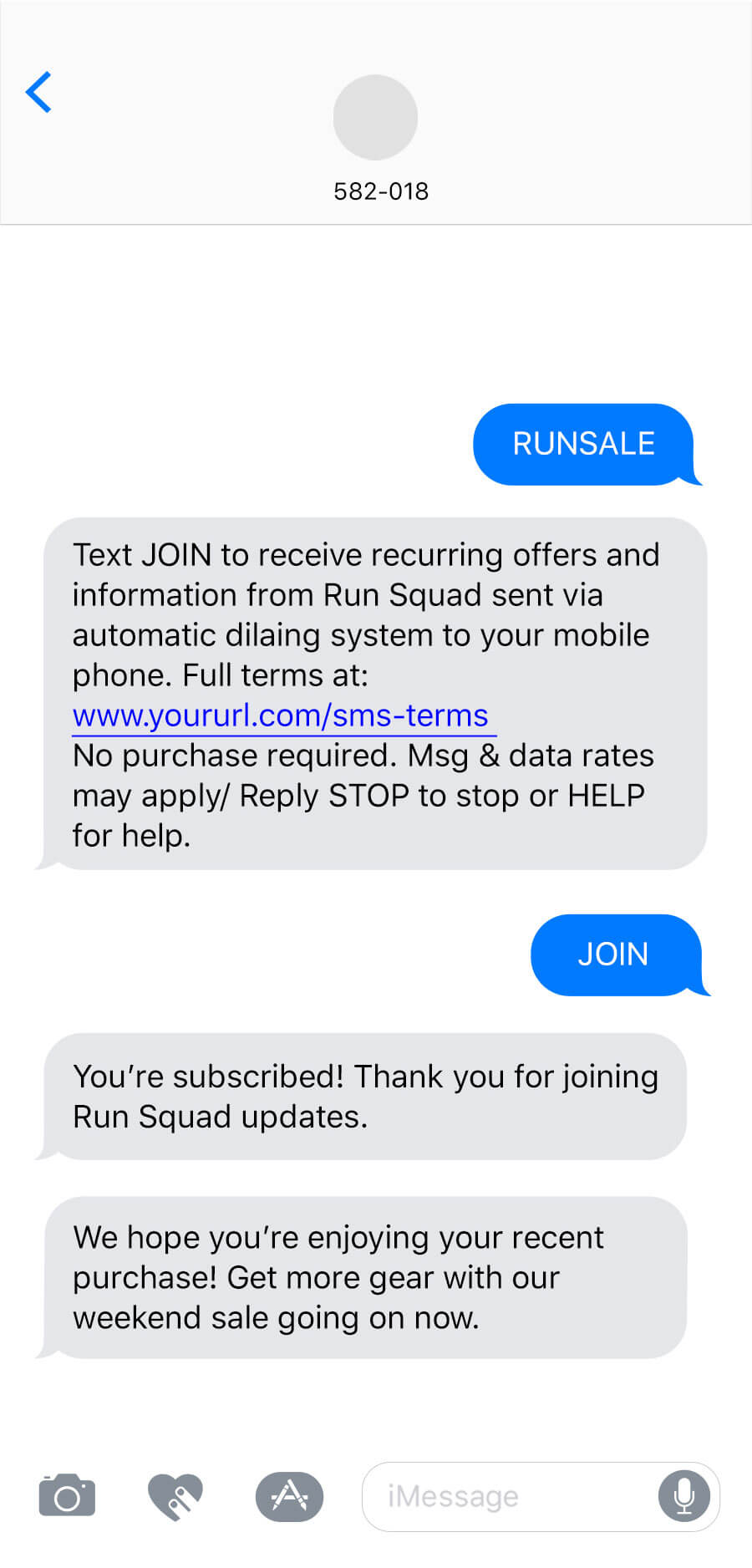
SMS and MMS messages appear in the recipient device’s native SMS client. They are PersistentMessage content that remains available even if the alerts for the message are dismissed. For example, Message Center, email, and SMS content can be viewed in the app’s Message Center, email inbox, or the device’s native SMS client until the message is deleted by its recipient. Non-persistent message types become unavailable when users dismiss them. A message’s linked content, e.g., a web link, deep link, an Apple News story, remains available as determined by the source host., remaining viewable until deleted by the user.
SMS messages require text, with a limit of 160 characters:
An SMS message over 160 characters appears to the user as successive messages.
If emojis and/or multibit characters are included, the message will be split into an additional message after 70 characters.
We will ensure the delivery of split messages, and most modern phones will concatenate the messages for the recipient, displaying them as a single message as opposed to delivering message 1 of 2 and message 2 of 2 separately. The number of actual SMS message sends will be billed even though the receiving device may display a fewer number of messages.
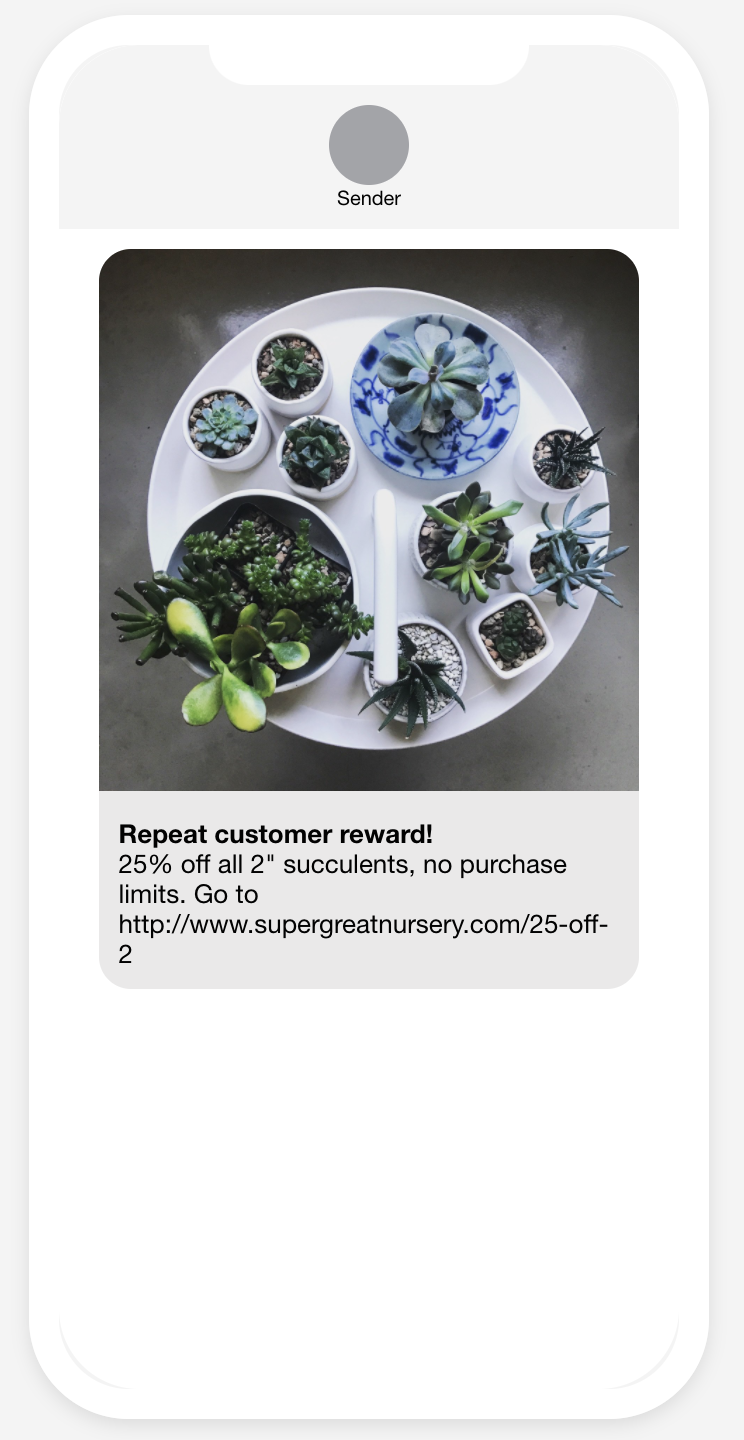
MMS messages require an image or vCard. See Media guidelines.
Content options for MMS:
Subject — A heading that appears in bold. Subject might not appear if you are sending from a toll-free number. 80 character maximum.
Text message — Text that accompanies the image. 5,000 character maximum.
SMS fallback text — Users who cannot receive your MMS message will receive an SMS message with this text along with the image URL. 160 character maximum.
Link shortening and tag actions are supported for both text options in MMS.
While MMS messages can include a subject and text, there is no guarantee as to the order in which text and the media in the message appear to the user. Media and text are sent separately.
RCS branded sender
Use an RCS branded sender to enable richer, branded delivery with read events where available. Your message automatically falls back to SMS/MMS when RCS is not supported. See RCS branded senders for more information.
Link shortening
Link shortening converts HTTP/HTTPS URLs in your SMS messages to unique, shortened URLs for your recipients. The shortened URLs reduce the total number of characters that links consume and produce click tracking metrics, helping you determine how effective your SMS messages are in driving traffic to your links.Tag actions
You can add or remove tags from users who engage with Airship-shortened links in your SMS messages. Shortened links with tag actions are the same length as URLs without. You can also use tag change events to kick off automation rules or sequences, making it easier to integrate SMS messaging campaigns into your larger messaging strategy.
Tag actions add query parameters to your URL, but users will still see the shortened URL in your SMS messages.
Custom domains for short links
Take advantage of your highly-recognizable brand and increase conversions while saving characters in SMS messages using Airship-shortened links with a custom domain. See Custom domains for short links in our developer documentation.
Getting started with SMS
Follow these steps to start using SMS with Airship:
- Add the SMS channel to your project Contact Airship Sales to provision your project for SMS messages.
- Register users and set up keywords See Getting Started for SMS integration in our developer documentation.
Once your project is set up, you can start creating SMS/MMS/RCS content.