iOS Live Activities and Android Live Updates
Display real-time, dynamically updated content that refreshes in place instead of sending multiple notifications. Available for iOS and Android devices AXP
iOS Live Activities and Android Live Updates can make it easier to keep information updated in real time instead of receiving multiple notifications from the same app for things like a game’s latest score, food delivery status, or rideshare arrivals.
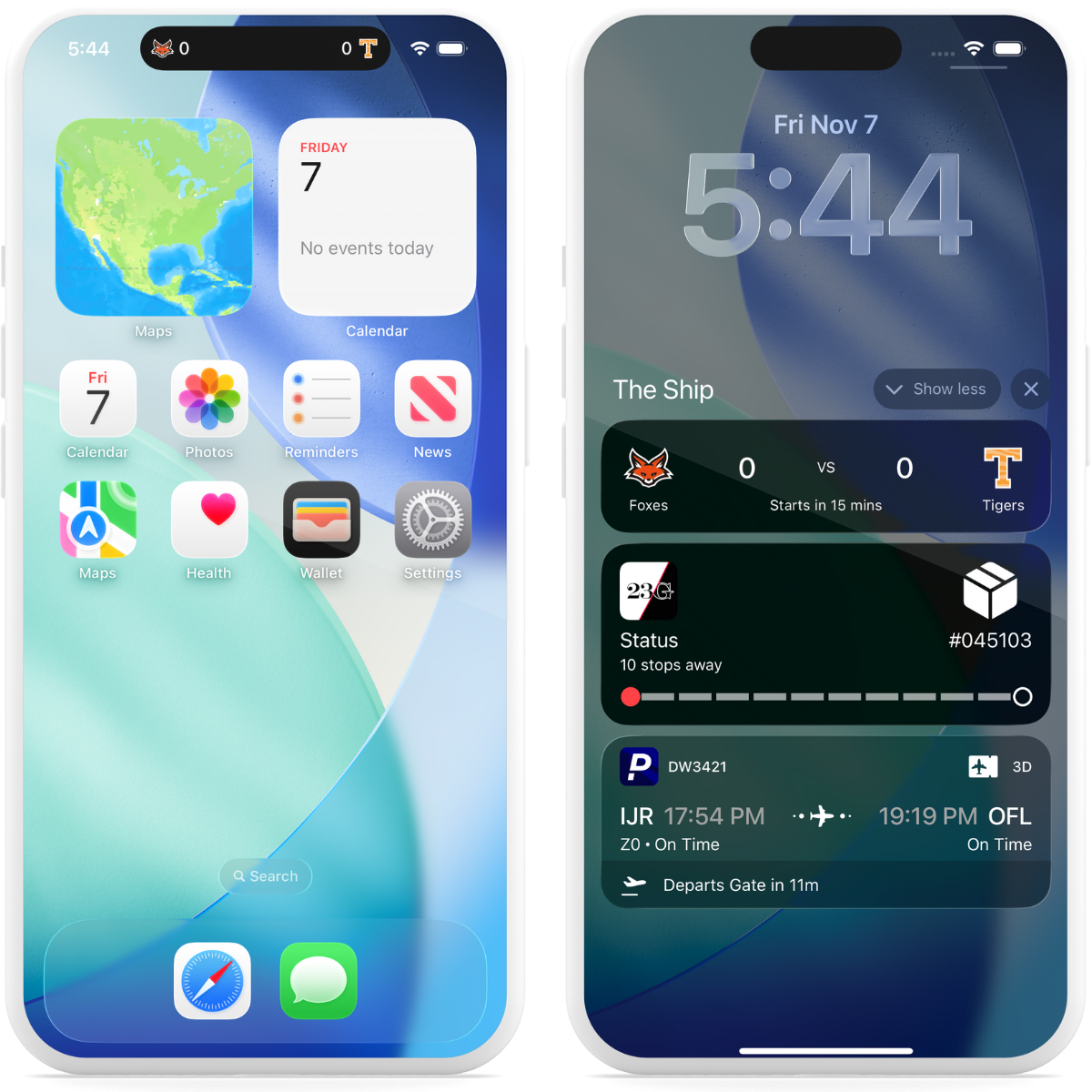
iOS Live Activities
A Live Activity displays current data from your app on the iPhone Lock Screen and in the Dynamic Island.Key features:
Duration — Live Activities can be displayed and updated for up to eight hours, until they expire. After expiration, an activity can continue to be displayed for up to four hours before it is automatically dismissed.
Multiple activities and apps — They can be started by an app, and a device can show multiple activities from different apps, the maximum number of which may depend on a range of factors.
Updates — Make changes to your content through API push notifications and/or background tasks in the app. For more timely updates, Airship recommends using push notifications or push notifications in addition to background tasks.
Along with the iOS SDK, Airship supports Live Activities for multiple frameworks: React Native, Capacitor, and Flutter.
Android Live Updates
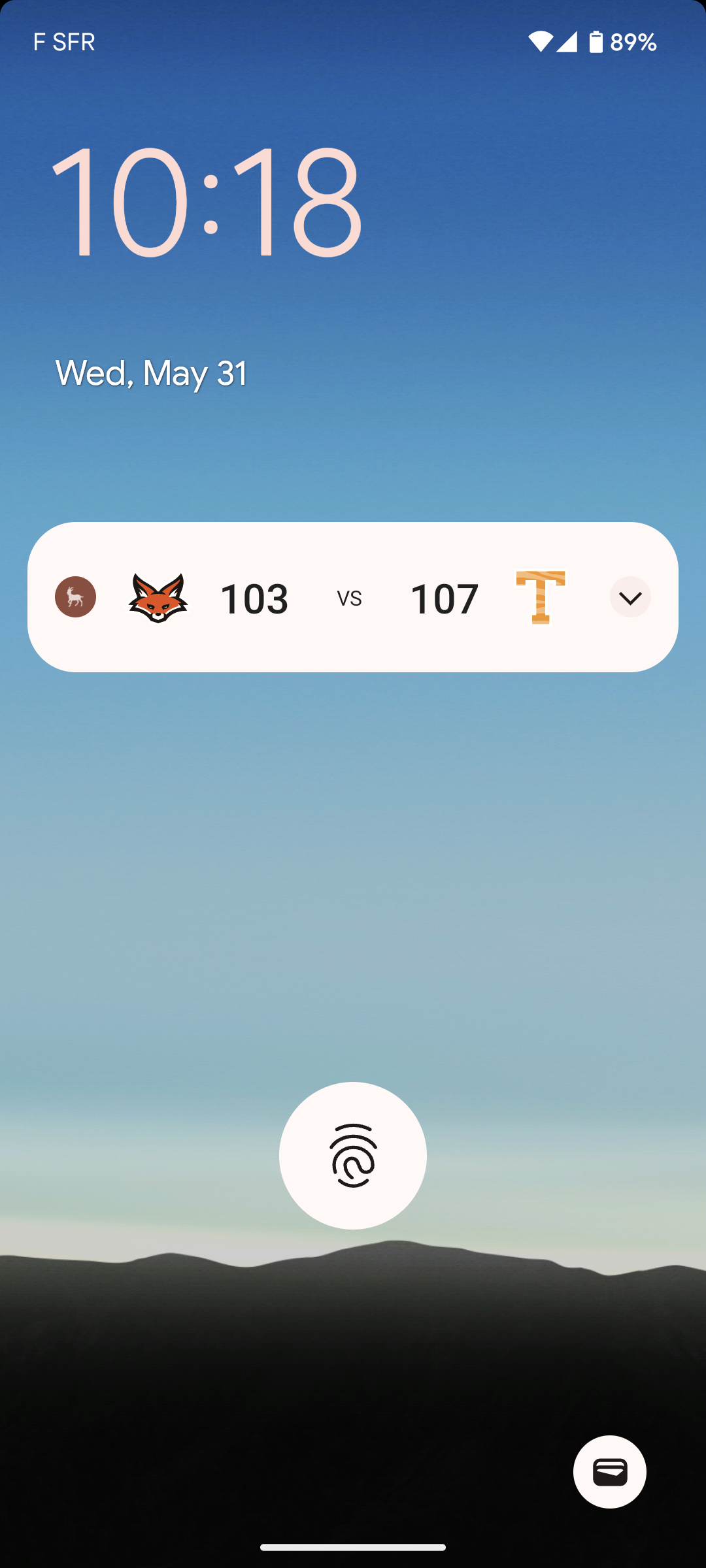
Live Updates provide functionality similar to iOS Live Activities, making it easy to display dynamically updated content on Android. They do not have time limits.
The Live Update is the container of the information, which can be displayed on a device in these formats:
- Push NotificationA message that can appear on any screen on a mobile device. Push notifications appear as banners. — API only. Format is determined by custom layout.
- Home screen widget
- Custom app view — The content from a Live Update can be presented using custom code.
Live Updates can be started, updated, and ended using API push notifications or the SDK. The notification, widget, or custom app view refreshes with the information contained in the latest Live Update received by the device.
Along with the Android SDK, Airship supports Live Updates for multiple frameworks: React Native, Capacitor, and Flutter.
Getting started with Live Activities and Live Updates
Follow these steps to start using real-time updates with Airship:
- Configure mobile channels in your project settings See Configuring Mobile Channels in the Getting Started guide.
- Integrate the Mobile SDK with your app See SDK setup for mobile apps in our developer documentation.
Once your project is set up, start using:
- Live Activities using the push API. For SDK methods, see the Live Activities developer documentation.
- Live Updates using the push API. For SDK methods, see the Live Updates developer documentation.